Kittl Prompt Examples for Skincare Brands
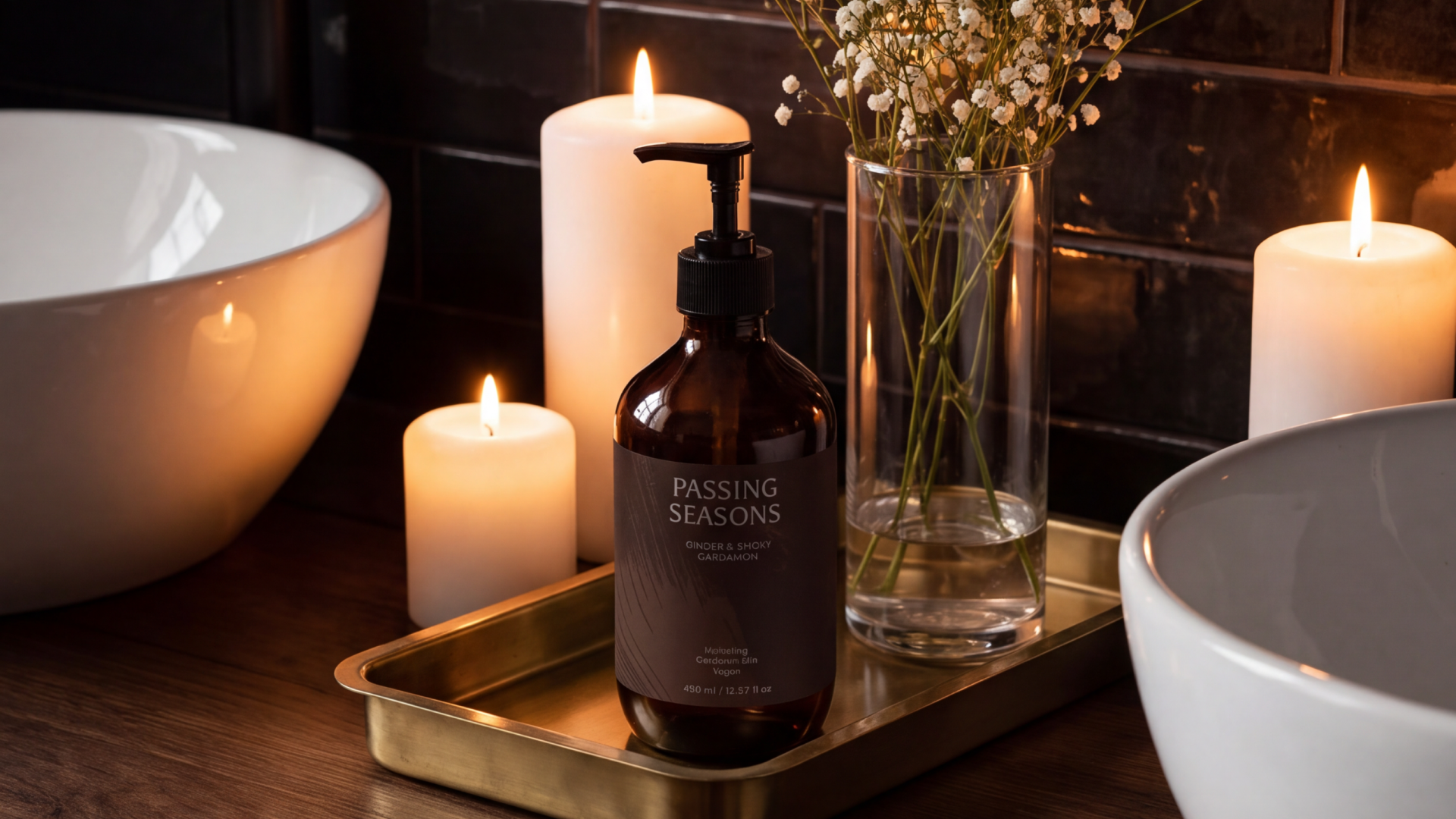
Table of Contents
Upload one product mockup. Type one line of text. Hit generate, and your merchandise is sitting on a sunlit oak-textured grain next to an emerald eucalyptus sprig, styled like a campaign shot.
Using Kittl's AI image generator can turn a single image into an Instagram post, a Story, or a website banner, all from the same workspace. That means you can try a new look for every launch, season, and channel, and keep only the ones that match your skincare brand.
We’ve tried the software ourselves to showcase seven Kittl prompt examples with Selfnamed product mockups. Copy them as they are, or swap the colors and props to match your brand.
Key Takeaways
Kittl's AI image generator turns an uploaded mockup into styled product photos or short videos from single text prompts.
Each generation lets you choose the AI model, image size, and number of variations, with time and token cost shown before you run it.
Strong product photography prompts describe the surface, props, background, lighting, and photo style.
AI product photos become campaign assets once they're resized for each channel and paired with text and a clear CTA.
How to Create AI Product Photos in Kittl
Kittl's AI tools live inside the same editor you design in, so you can go from a blank project to a finished product image without switching apps. If you're still choosing a design tool, our breakdown of Kittl vs. Canva vs. Figma compares how each one works for beauty brands.
Here's how you start with Kittl.
1. Open Kittl. Sign in or create a free account at Kittl.
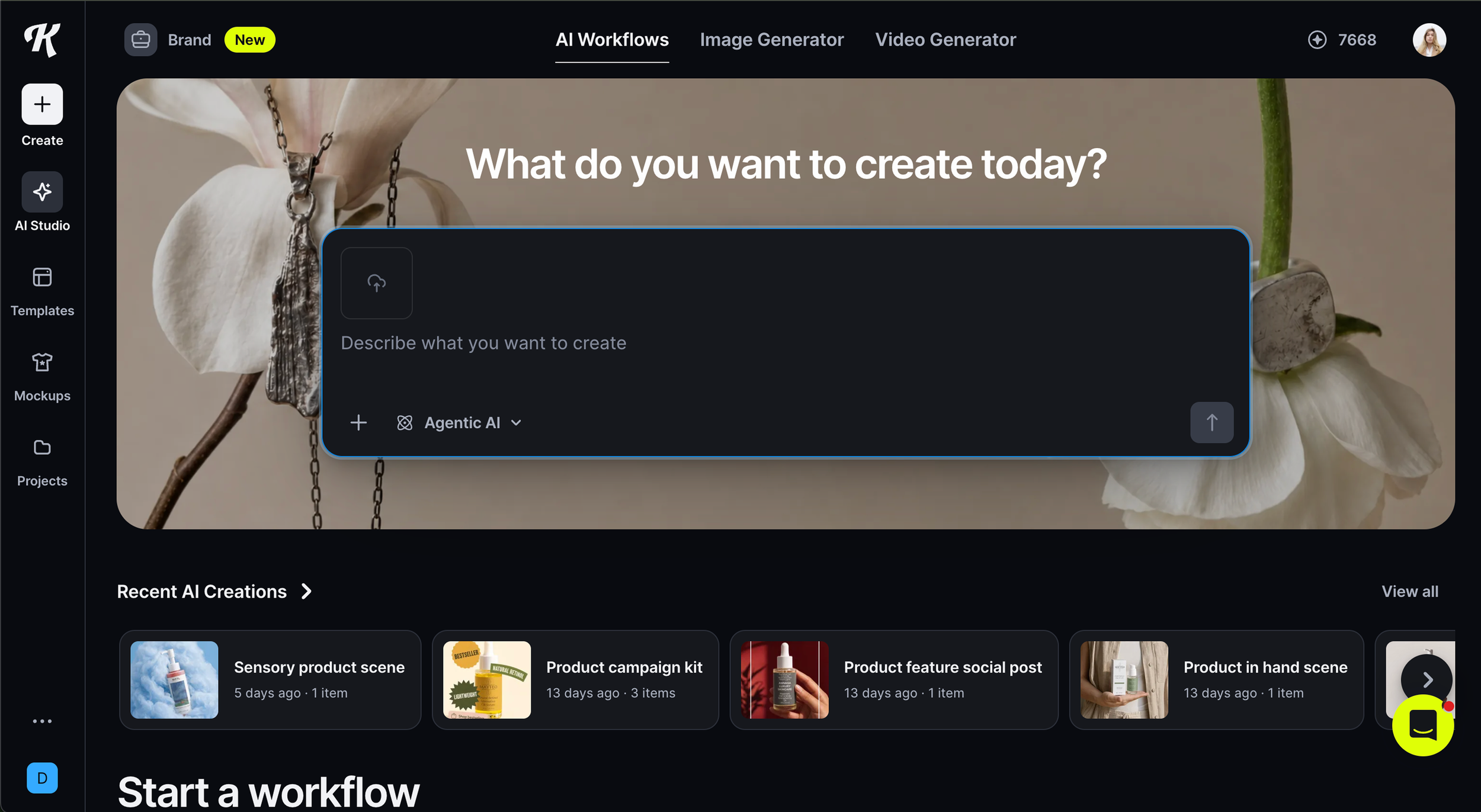
Kittl homepage - logged in
2. Create a new project. Start a blank project from your dashboard. The AI generator sits in the side panel.
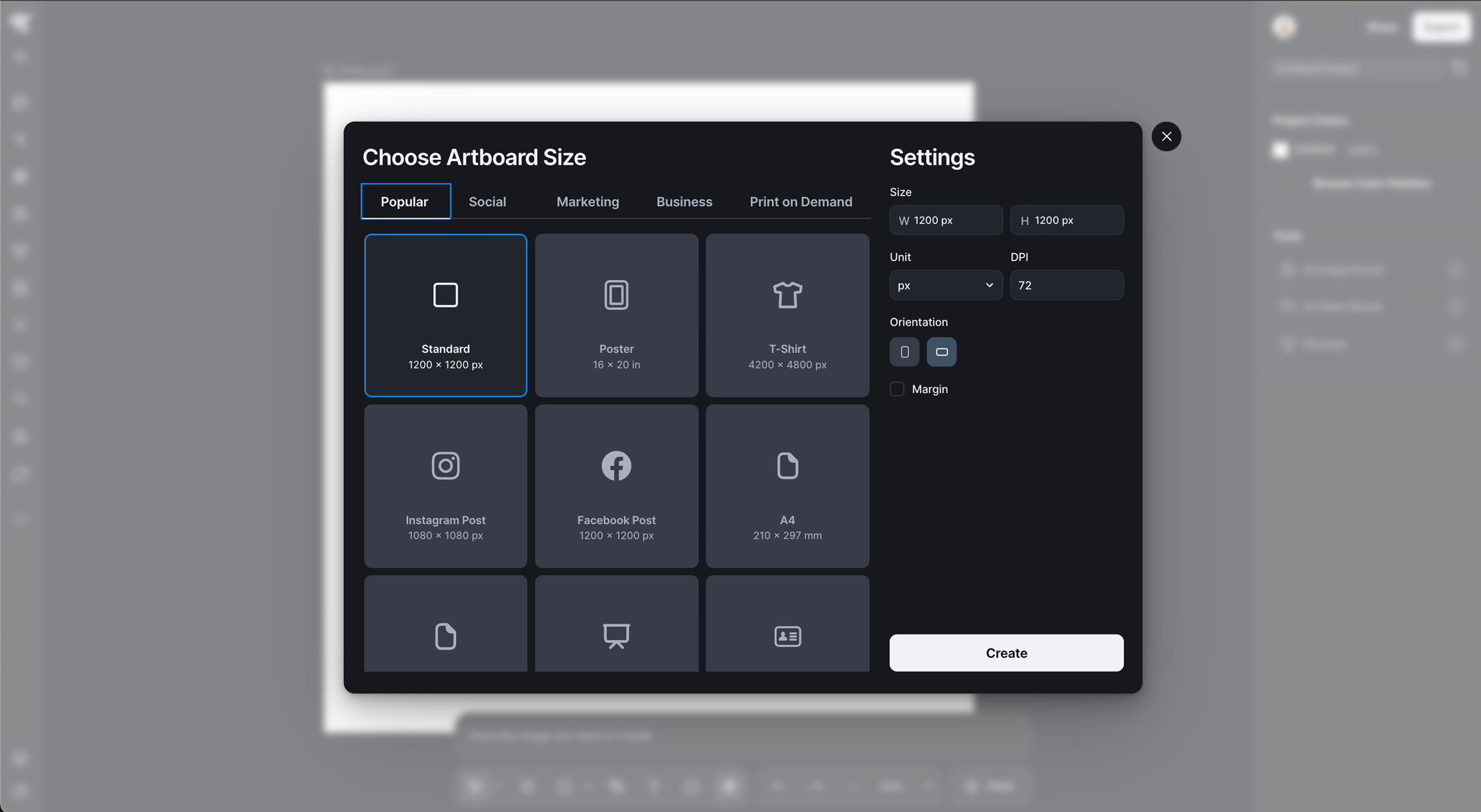
New project select screen
3. Upload your product mockup and paste your prompt. Use a clean mockup of your product on a plain background.
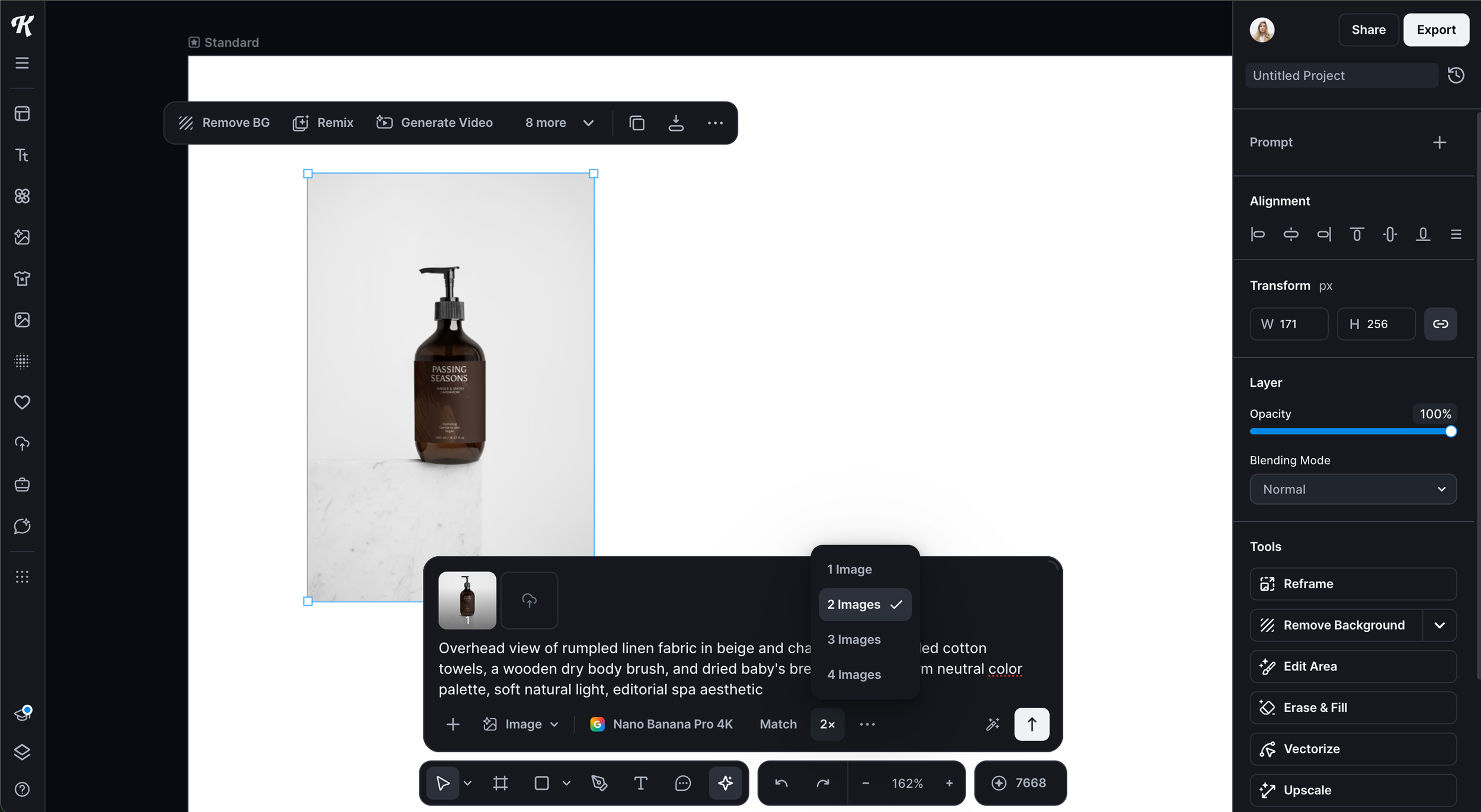
Kittl workspace with mockup and prompt
If you sell with Selfnamed, the Selfnamed Design Studio creates mockups for each product you design. You can then download them and paste the images in Kittl to use with one of the prompts below.
4. Set up your generation. Shape the result with a few quick choices:
Image or video. Pick Image for a still shot or Video to add motion to the scene.
AI model. Each model shows how long it takes and how many tokens it uses, so you can compare before you commit.
Size. Match the format to where the image will go. A 4:5 portrait fits an Instagram feed post, and 9:16 fits Stories and Reels.
Number of images. Generate several variations at once and keep the best one.
5. Generate and enjoy your creation. Hit generate, pick your favorite, then refine or export it.
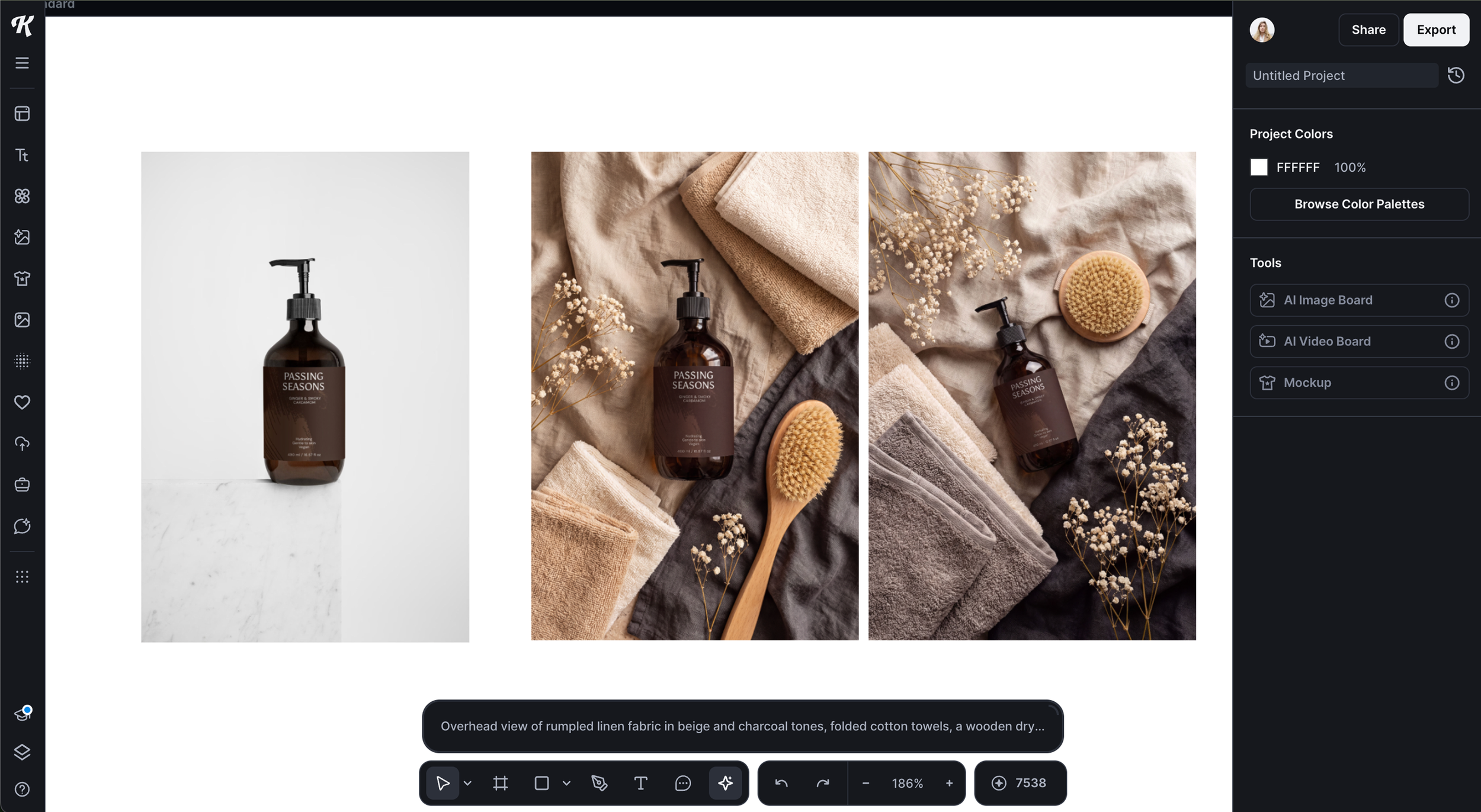
Kittl workspace with AI-generated visuals
Before you publish, zoom in on the product itself. AI models can soften or reshape small label text, so make sure your logo and product name read exactly as they do on your mockup. If needed, add more conditions to your prompt to limit edits on your proprietary branding.
Product Photography Prompts for Skincare and Body Care
These prompts describe only the scene. Your uploaded mockup supplies the product.
Copy or use the text from the box for inspiration.
Paste it into Kittl next to your mockup.
Adjust the colors to your brand palette.
Earthy Spa Flatlay
A calm overhead scene in warm neutrals that reads instantly as spa and self-care.
Overhead view of rumpled linen fabric in beige and charcoal tones, folded cotton towels, a wooden dry body brush, and dried baby's breath flowers, warm neutral color palette, soft natural light, editorial spa aesthetic
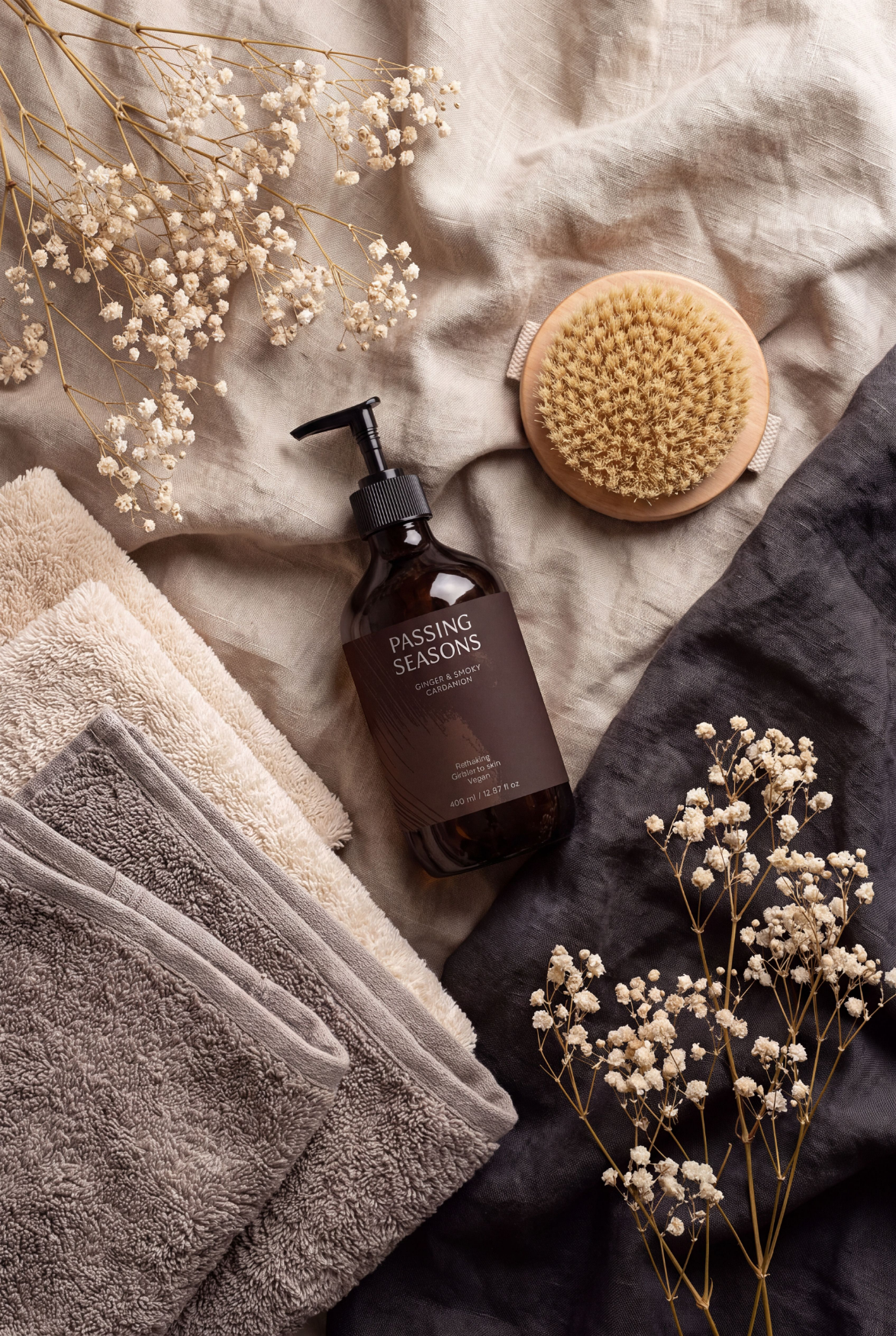
Tip. Works well for body washes, body oils, and lotions, especially in amber or brown bottles that blend into the palette.
Shadow Play
A minimal, high-contrast setup where one long shadow does all the styling.
Glossy slightly reflective surface with a dramatic elongated product shadow, warm golden-amber background with a curved shadow from draped fabric, minimalist product photography, warm afternoon light
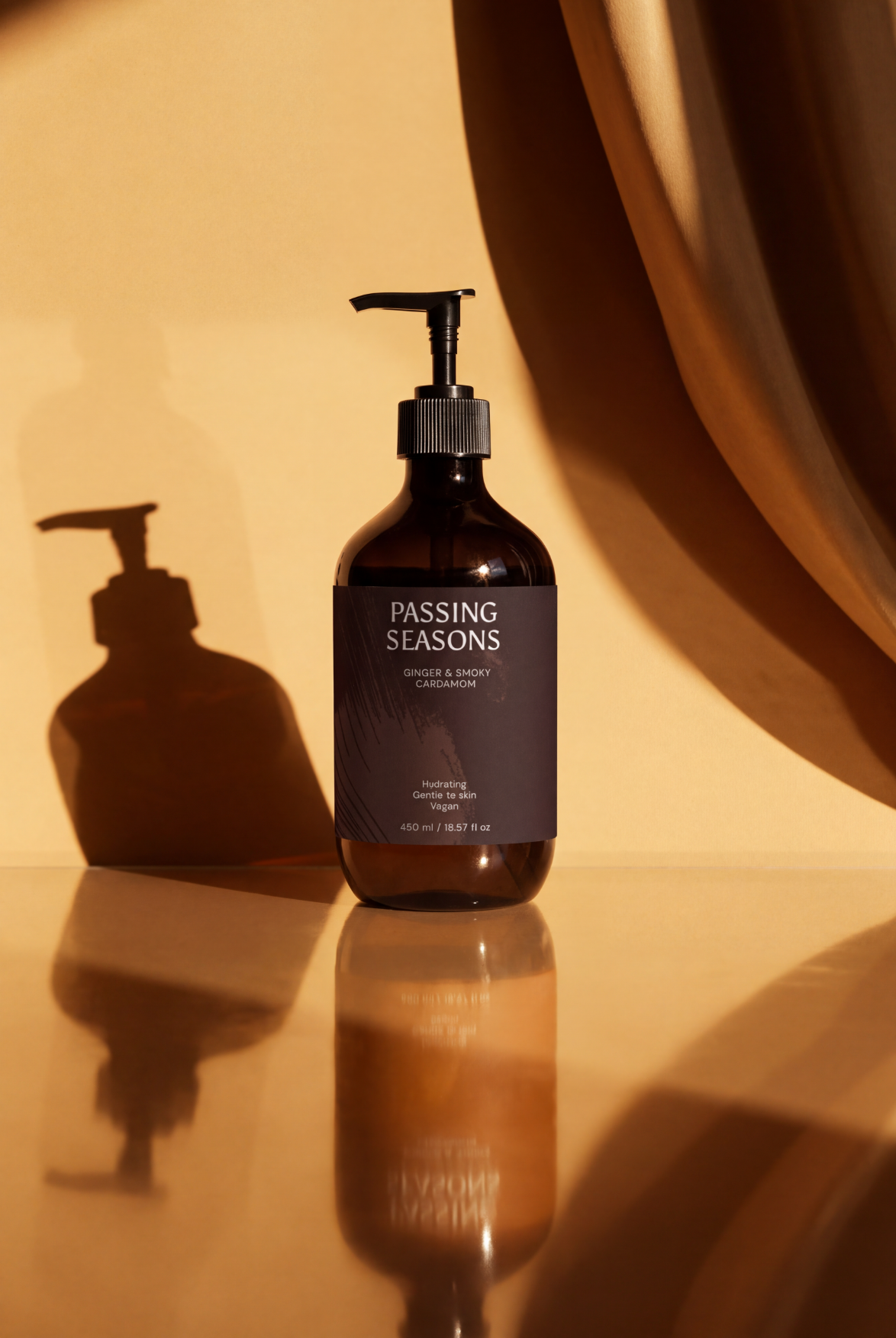
Tip. Made for serums and dropper bottles. Glass and glossy packaging catch the golden light and make the shadow look intentional.
Bathroom Vanity Vignette
Bright, airy, and lived-in, as if the product already has its spot by the sink.
Brass vanity tray between two white vessel sinks on a light oak countertop, white subway tile wall backdrop, a small eucalyptus sprig in a clear glass vase, folded white cotton hand towel, bright airy natural light, clean modern bathroom interior photography
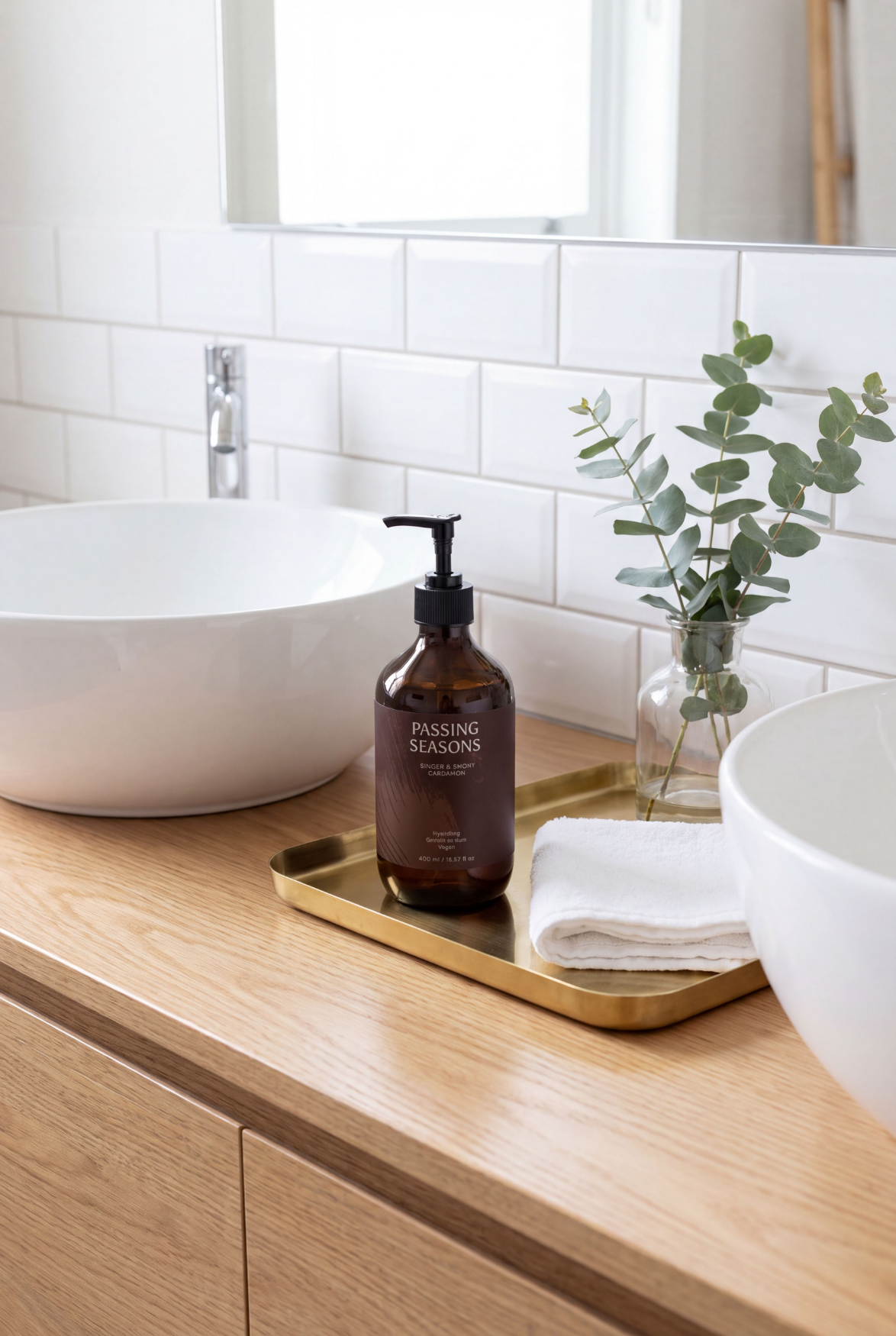
Tip. Best for hand washes, hand creams, and face cleansers, the products your customers actually keep on the counter.
Bold Color Studio
Saturated mustard yellow and natural textures for a scene that stands out in a busy feed.
Rustic wooden cutting board surface with natural loofah sponges and a pumice stone, warm mustard yellow seamless background, saturated warm studio lighting, clean commercial product photography setting
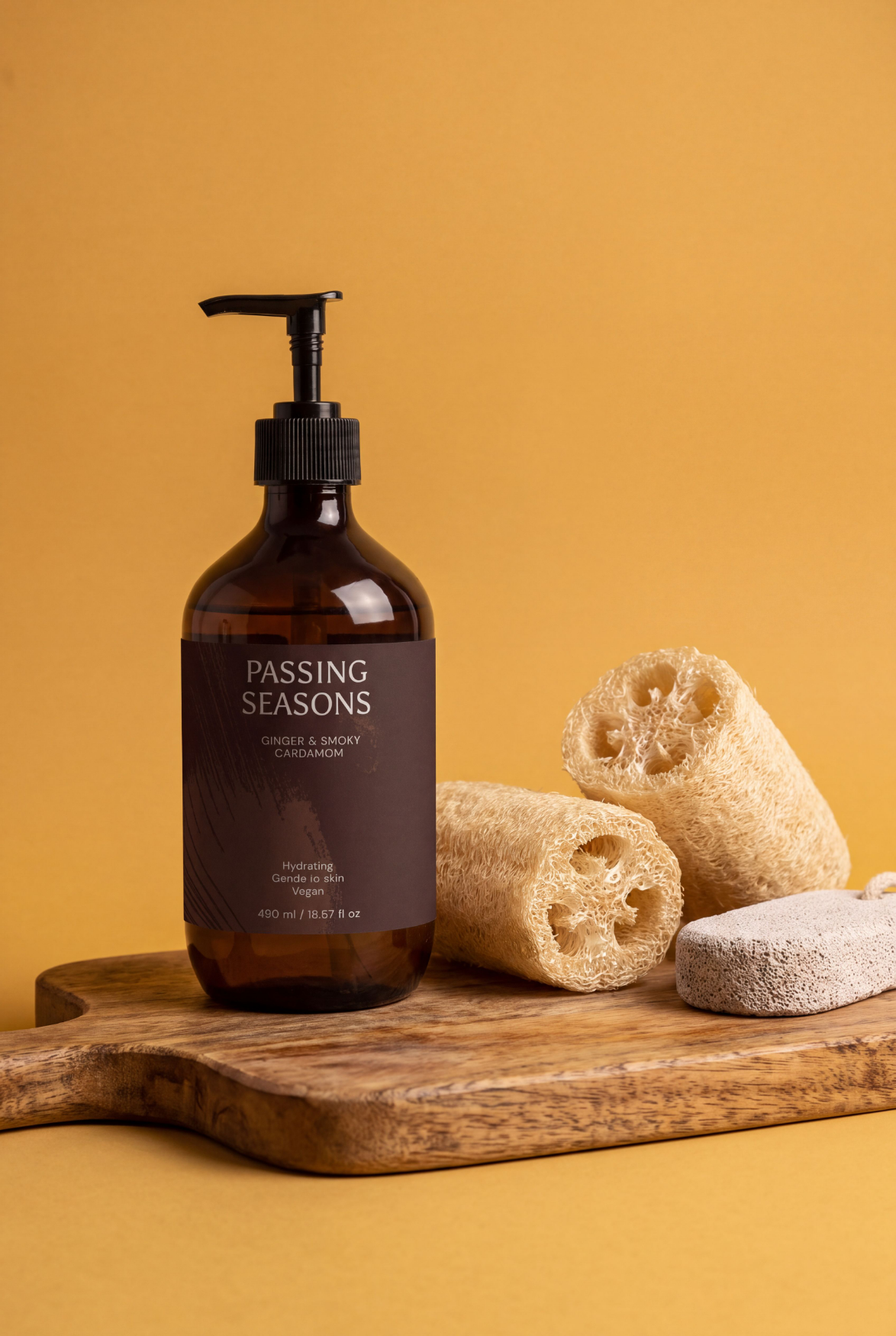
Tip. Pair it with body scrubs, exfoliators, and body washes. The loofah and pumice props tell shoppers what the product does before they read the label.
Cozy Towel Nest
Soft and close-up, with a fluffy towel framing the product.
Soft fluffy white cotton towel loosely wrapped and bundled around a product bottle, creating a cozy nest shape, light white marble surface underneath, soft natural daylight with gentle shadows, close-up overhead angle, clean minimal spa aesthetic
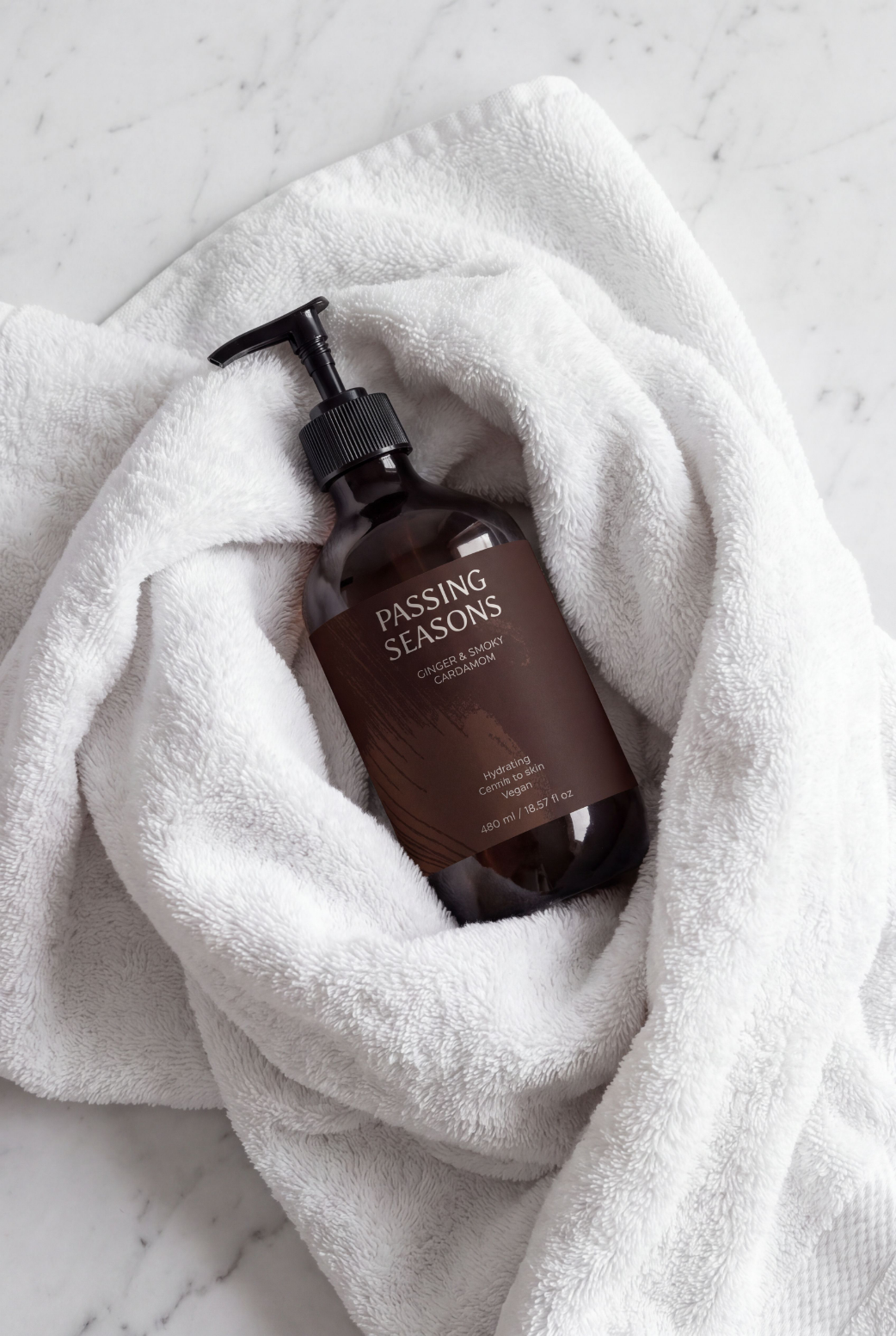
Tip. A good fit for body lotions, baby care, and everyday cleansers, anything you want shoppers to link with softness and comfort.
Bonus: Black Friday Prompt Examples
Black Friday visuals need room for a bundle and an instant seasonal signal. Both prompts below leave open space in the center, so you can place two or three product mockups on top in the Kittl editor.
Black Friday Ribbon Scene
Elegant black satin ribbons with "Black Friday" printed in white text loosely draped and curling across a light grey seamless background, soft studio lighting, space in the center for a product group of two to three items, luxury promotional photography
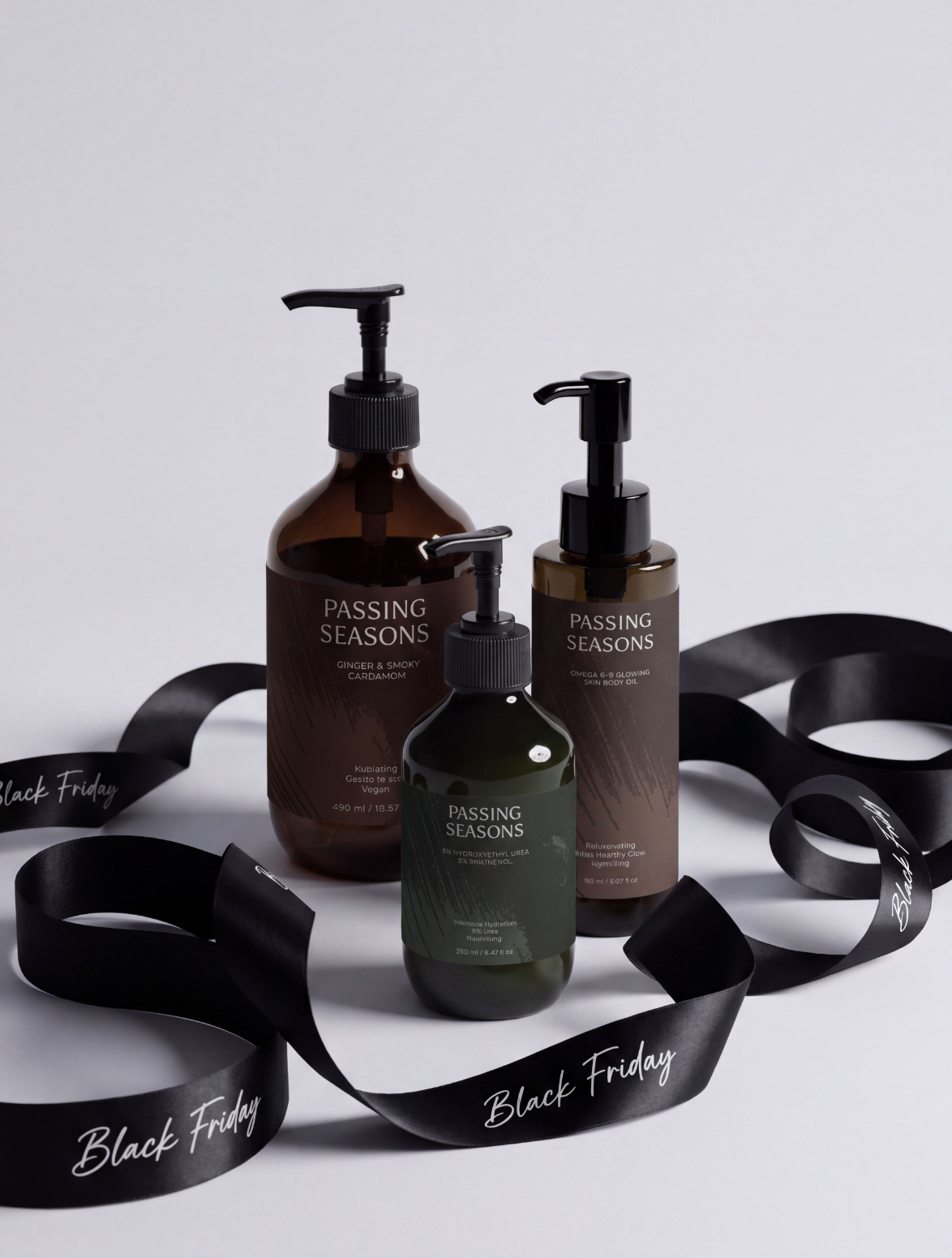
Tip. AI models sometimes misspell words inside images. Check that "Black Friday" reads correctly on every ribbon, or drop the printed text from the prompt and add it yourself with Kittl's text tools.
Black Friday Gift Box Unwrap
Open matte black gift box with black tissue paper spilling out, scattered gold confetti and small gold stars on a dark charcoal surface, soft dramatic overhead lighting, luxury holiday promotional aesthetic, space in the center for products
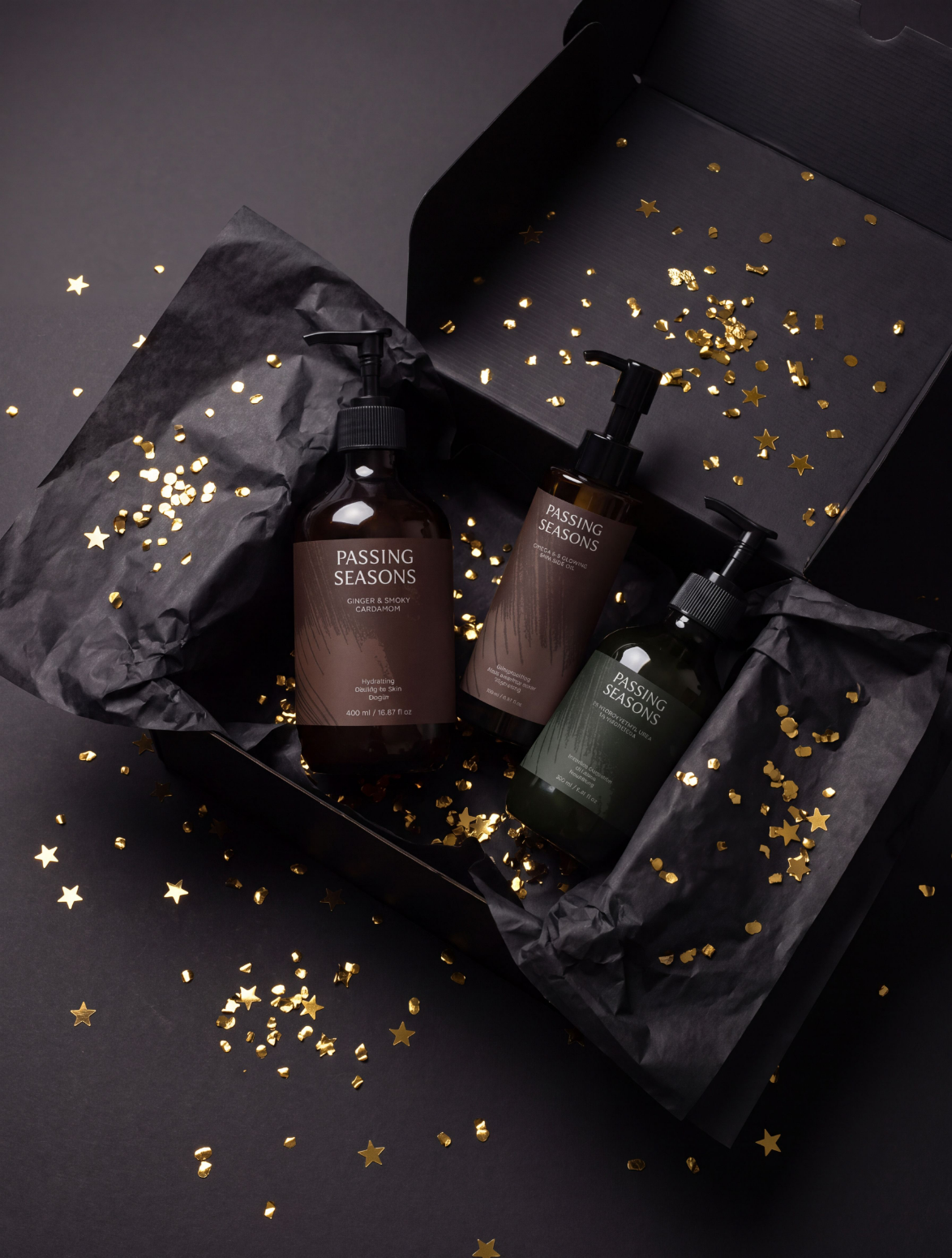
Tip. Built for gift sets and holiday bundles. The dark palette makes white, amber, and metallic packaging pop.
How to Write Your Own Product Photography Prompts
Every prompt in this guide follows the same five-part structure. Once you know it, you can build a scene for any product in your line.
| Element | What It Describes | Example From This Guide |
|---|---|---|
| Surface | What the product stands on | Light oak countertop, white marble |
| Props | Objects that hint at how the product is used | Loofah sponges, a dry body brush, a eucalyptus sprig |
| Background | The color or setting behind the product | White subway tile wall backdrop |
| Lighting | The quality and direction of light | Soft natural daylight with gentle shadows |
| Style | The photo genre or mood | Editorial spa aesthetic, commercial product photography |
A few habits keep your results consistent.
Describe the scene and skip the product. Your mockup already shows the product, and describing it again can push the model to redraw it.
Choose props that match the category. Bath textures for body care, a vanity for hand care, and clean glass for serums.
Name your brand colors. Swap "beige and charcoal" for your own palette and hex codes to keep every image on-brand.
Change one element at a time. If a result is close, adjust only the lighting or the background and generate again.
The same rules of light and composition apply to real-camera shoots too. Our guide to skincare product photography covers them in more depth.
What to Do With Your AI Product Visuals
Once it's sized, captioned, and published, a generated image becomes a campaign asset.
Here's how to get it there.
Resize it for every channel. Duplicate your design in Kittl and adapt it for each format you use, from a 4:5 feed post to a 9:16 Story and a wide website banner.
Add text and a CTA. Layer on a headline, your offer, and a clear call to action like "Shop the set." Try a few CTA versions to see which one your audience clicks.
Publish it everywhere your customers look. Use the same scene on product pages, homepage banners, email headers, and social posts, so the campaign looks connected.
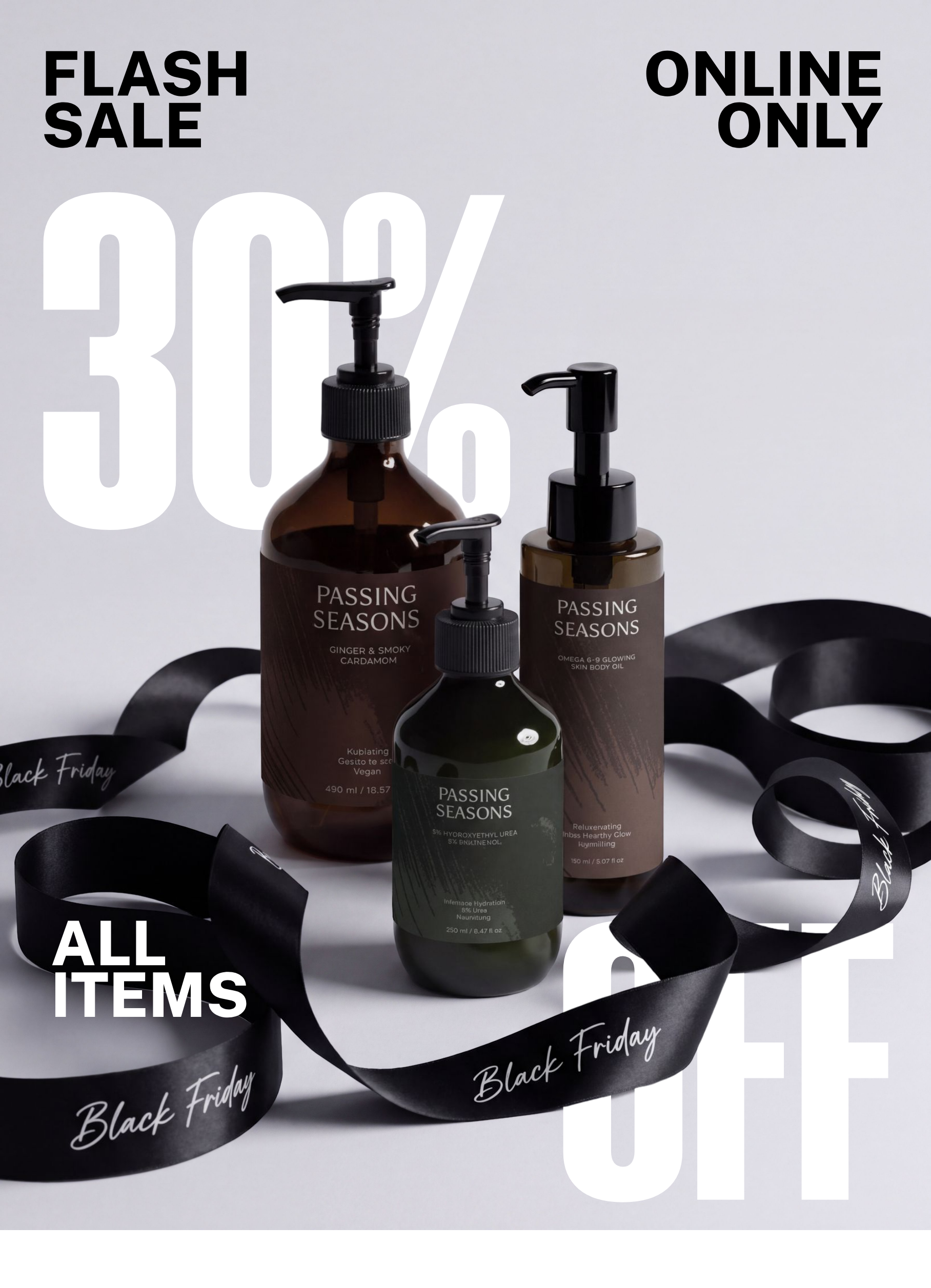
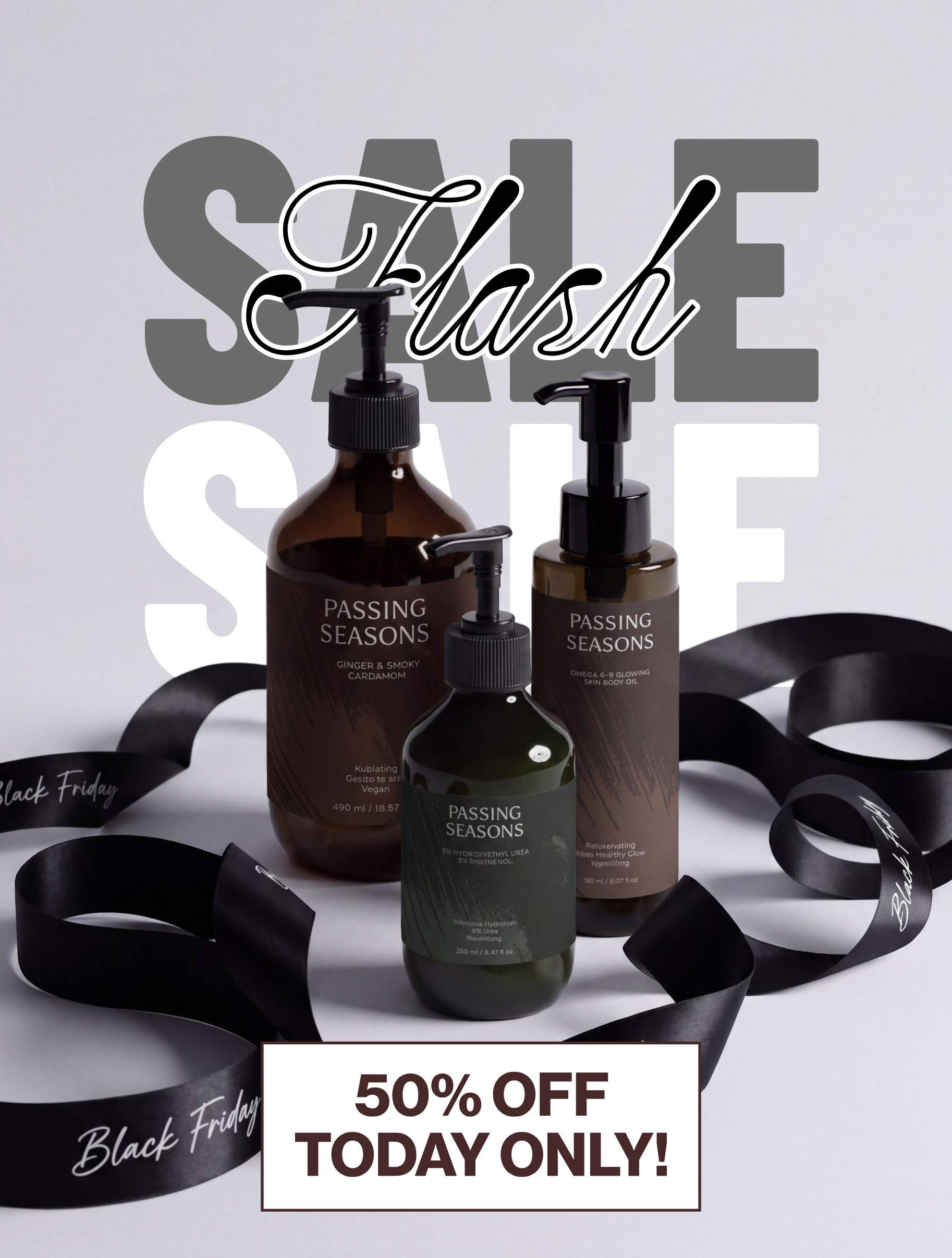
For layout ideas, browse Kittl's template library or save a Pinterest board of campaigns you like.
Our roundup of skincare templates for social media is another good starting point, and our guide to social media marketing for skincare business owners covers what and where to post.


Create Your Products With Selfnamed, Style Them in Kittl
Every prompt in this guide starts with a product mockup, and Selfnamed gives you one.
Pick from 200+ ready-to-brand products, design your label in our free Design Studio, and create a mockup for each product, ready to upload into Kittl.
There are no minimum orders, and joining is free, so you only pay when you sell or order products wholesale.
Use code SELFNAMED for 25% off your first month or year of Kittl.
Must read