Tools to Grow Your Beauty Brand on Wix (2026 Guide)
Table of Contents
Beauty businesses today need more than a good-looking website.
You need a place where clients can book appointments, customers can shop your products, and your brand can actually grow without spending half your life switching between apps and tabs.
That’s why platforms like Wix have become so popular with beauty founders, salon owners, and creators. It’s an all-in-one system for running your business online.
You can manage bookings, sell products, automate marketing, track customer data, and monitor performance from one dashboard. Which, frankly, is a lot better than trying to glue together six different tools and hoping nothing breaks before Monday morning.
We’re breaking down the actual Wix tools that help beauty businesses grow: what they do, why they matter, and how you’d realistically use them in your daily operations.
From appointments and ecommerce to SEO and automation, these are the exact tools that turn a beauty website into a working business.
Wix Tools That Will Help Your Beauty Business Grow
Running a beauty business usually means doing a bit of everything at once.
You’re managing clients, updating your website, posting content, handling bookings, and somehow still trying to have a life outside of work. These Wix tools help keep the business side organized without making things even more complicated.
Wix Bookings: Your 24/7 Receptionist (Minus The Salary)
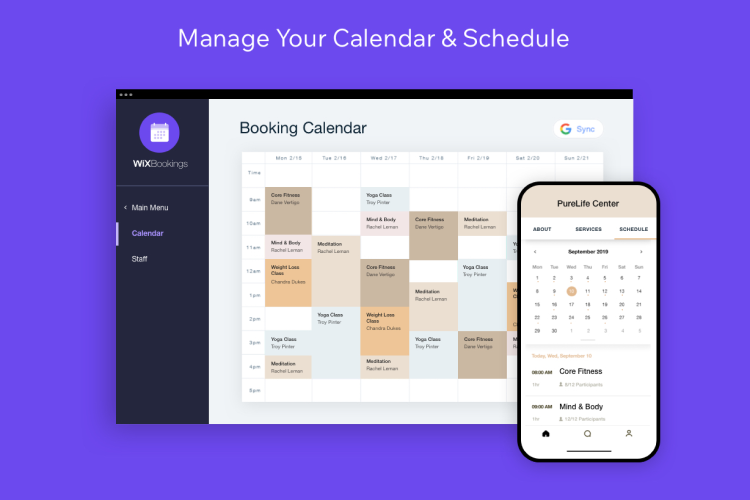
What it is: A built-in scheduling tool for appointments, classes, consultations, and beauty services.
What it does:
Clients can book appointments online whenever it suits them;
Syncs calendars and staff availability automatically;
Sends confirmation and reminder emails or SMS messages ;
Handles cancellations, rescheduling, and waitlists;
Supports online payments, memberships, and service packages;
Collects client data through custom booking forms before appointments;
Allows you to manage bookings and schedules from your phone.
Why it matters:
Booking appointments through Instagram DMs works at first… until it doesn’t, and your inbox suddenly feels like a second full-time job. At some point, the endless messaging starts taking up more time than the actual appointments themselves.
Wix Bookings lets your clients simply choose an available time slot and book directly through your website. Everything stays in one place. Confirmations go out automatically, and you’re no longer getting those late-night “Are you free tomorrow at 3?” messages landing in your inbox.
A real-world example:
A lash technician adds weekly availability to the website so clients can book appointments on their own, whenever it suits them.
The schedule updates automatically, reminder emails are sent out before appointments, and there’s less time spent replying to booking requests throughout the day. Clients are also more likely to remember their appointments, which makes the entire week feel far less chaotic.
Wix Stores: Your Online Beauty Shelf
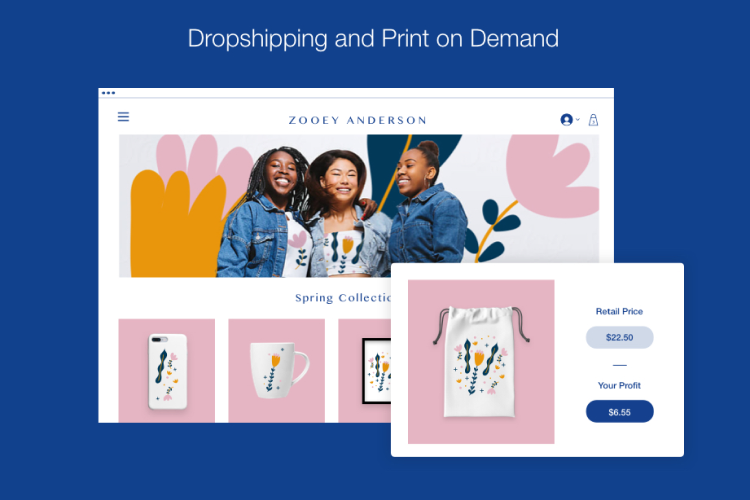
What it is: Wix’s built-in ecommerce system for selling beauty products online.
What it does:
Allows you to list and sell products like skincare, cosmetics, and beauty accessories;
Keeps inventory and stock levels updated automatically;
Handles orders, shipping profiles, and customer checkouts;
Supports multiple listings for products in different sizes, shades, bundles, and variants;
Allows discounts, promo codes, and gift cards;
Allows customers to create accounts and track their orders.
Why it matters:
Selling products online sounds exciting until you actually have to set everything up.
Product pages, inventory, payments, shipping, bundles, discount codes – it all adds up quickly, and suddenly there’s a lot to manage, and you have no idea where to even start.
Wix Stores helps you to keep all of that in one place, which makes the process feel a lot less intimidating, especially when you’re just getting started.
Even for customers, things are made easier. They can browse products, pick sizes or variants, add items to their cart, and (most importantly) check out without getting stuck halfway through the process.
A real-world example:
A skincare founder launches a cleanser, serum, and moisturizer through the website and starts selling directly from there. People can browse products, read through ingredients, and order directly from the website instead of sending messages asking what’s available.
Once orders start coming in, Wix handles the practical side of things too, so you’re not manually updating stock or trying to keep track of shipping and customer details in spreadsheets at the end of the day.
Wix Payments: Getting Paid Without Friction
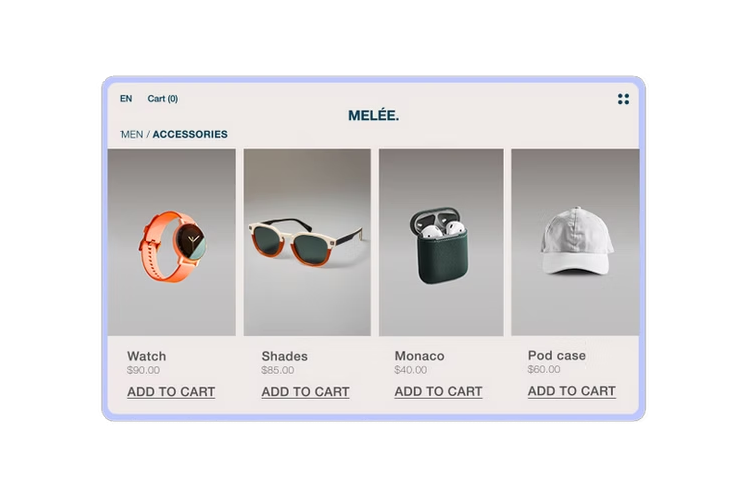
What it is: Wix’s built-in payment processing system for online bookings and purchases.
What it does:
Accepts credit cards, debit cards, and digital wallets;
Handles secure online transactions;
Supports subscriptions and recurring payments;
Allows customers to pay directly during checkout or booking;
Keeps payment tracking in one place.
Why it matters:
People notice when checkout feels complicated. And most of them won’t stick around long enough to figure it out.
A smooth payment process makes a bigger difference than brands sometimes realize. Customers can pay quickly, bookings feel more seamless, and there’s less admin work afterwards, trying to follow up on unpaid invoices or missed payments.
A real-world example:
A facial studio offers monthly skincare memberships that can be purchased online. Clients sign up online, and monthly payments are processed automatically. Staff no longer have to spend countless hours sending reminders. Or manually tracking who has paid and who hasn’t, for that matter.
Wix CRM: Know Your Clients (Without Stalking Your Inbox)
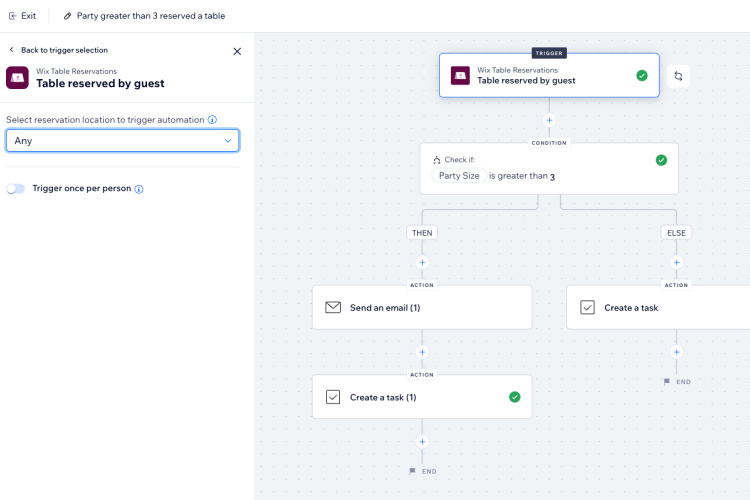
What it is: CRM (customer relationship management) system built directly into Wix.
What it does:
Stores customer information and purchase history;
Tracks bookings, interactions, and orders;
Organizes customers into different groups;
Helps personalize emails and marketing campaigns;
Keeps communication history in one place.
Why it matters:
Once you start getting more clients, it becomes surprisingly easy to forget small things. Who usually books every month? Who bought products last time? Who asked about a treatment and never followed up again?
Forget scrolling through old emails, booking confirmations, or Instagram conversations, trying to remember where you left off. Wix CRM keeps track of your customer history for you. Also, it makes follow-ups sound more natural. Less like a mass copy-paste message sent to everyone on your contact list.
A real-world example:
A beautician owner keeps track of his clients – regulars, newer customers, and those who haven’t booked in a while. Regular clients get early access to seasonal offers, while past customers occasionally receive reminders when appointment slots open up again before busier periods.
Wix SEO Tools: Because “Just Posting” Isn’t a Strategy
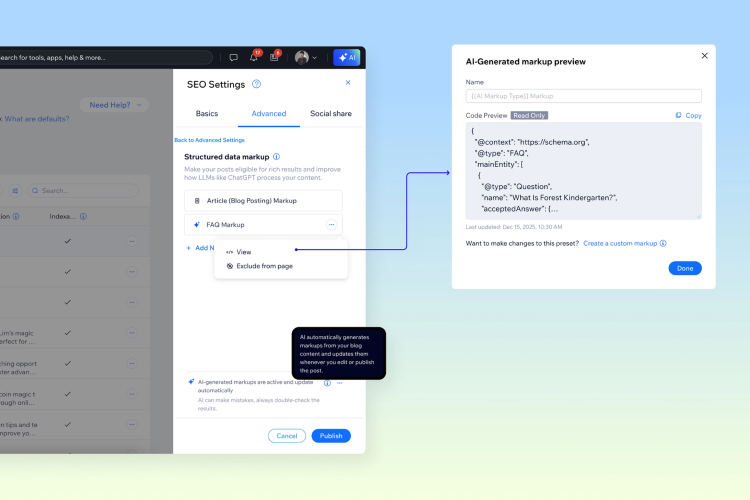
What it is: SEO (search engine optimization) tools that help your site show up on Google search results.
What it does:
Guides you through SEO setup;
Helps optimize pages and keywords;
Improves visibility in search results.
Why it matters:
People are Googling things every day. “Best facial near me.” “Clean skincare brand.” “Lash extensions.”
If your website isn’t optimized properly, the audience you’re trying to attract might never even come across your business.
Sure, SEO can feel like a whole different world at first. But Wix simplifies a lot of the setup process, making it easier to manage – even if you’ve never dealt with SEO before.
A real-world example:
A beauty therapist optimizes her site with keywords that are related to acne treatments and chemical peels. After optimizing the website, it starts appearing in Google searches more often, indicating that more people are now finding the business online (instead of depending on word of mouth to do all the heavy lifting). And the result is pretty clear – the more traffic, the more bookings.
Wix Automations: Do Less, Get More Done
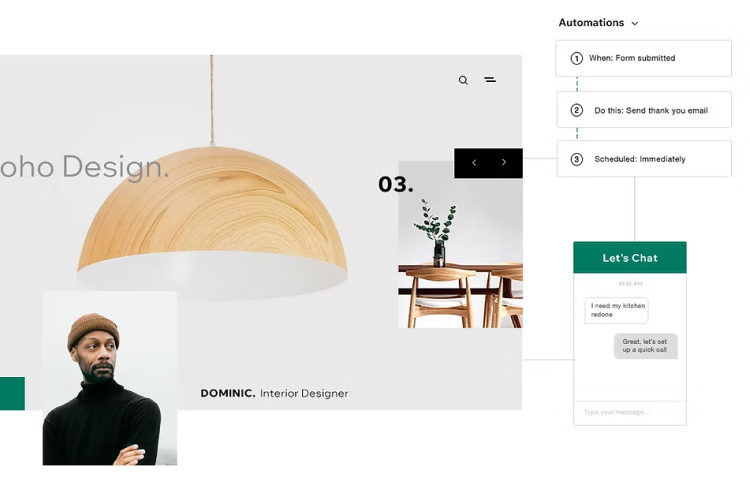
What it is: A tool that automates repetitive tasks and customer communication.
What it does:
Sends emails automatically after bookings or purchases;
Triggers actions based on customer activity;
Helps manage reminders and follow-ups;
Reduces repetitive admin work;
Keeps communication running quietly in the background.
Why it matters:
Most beauty business owners already have enough going on as it is, and that’s before opening the inbox for the day.
Replying to messages, confirming appointments, sending reminders, and asking for reviews all seem manageable at first. Then those small tasks slowly start taking over your everyday routine.
Wix Automations takes a lot of those smaller tasks off your hands and handles them in the background, so there’s less time spent on admin work and more time left for actual clients and the business itself.
A real-world example:
As soon as the customer books an appointment (online), the confirmation email is sent out immediately. A reminder goes out before the actual appointment, and is followed by a quick follow-up message afterward asking for feedback or a review. Nobody has to manually send each message every single time a booking comes in.
Wix Analytics: Stop Guessing, Start Knowing
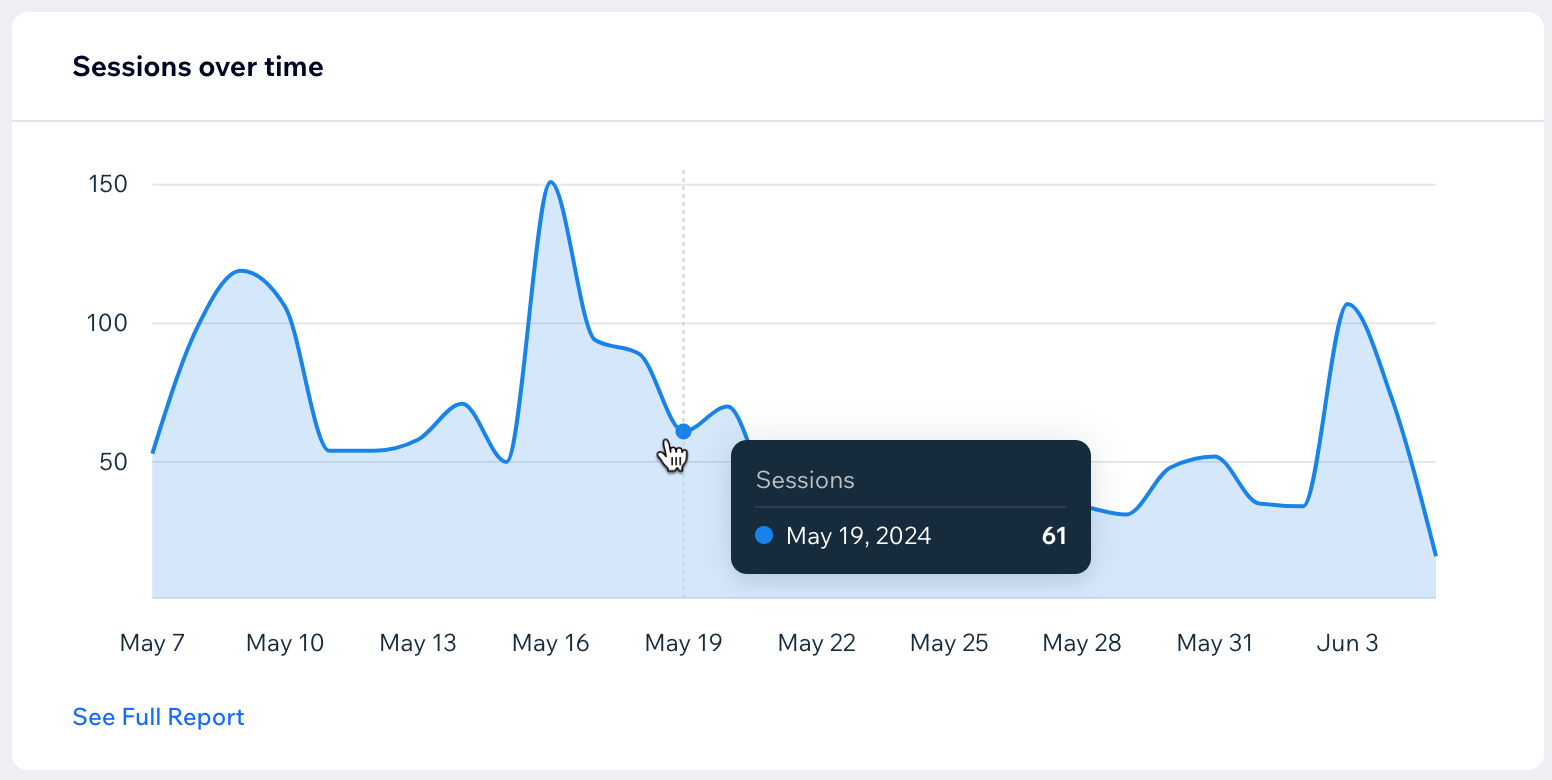
What it is: Analytics tools for tracking website performance and customer behavior.
What it does:
Tracks website traffic and visitor activity;
Shows sales and booking performance;
Highlights popular pages and products;
Helps monitor customer behavior and conversions;
Highlights what’s working (and what’s not).
Why it matters:
Without data, a lot of business decisions turn into assumptions. And assumptions don’t always pay the bills.
Analytics helps you see what people actually do once they land on your website. Which pages do they spend time on? Which products get attention? Where do people lose interest? Do they leave without booking? Did they buy anything?
That kind of information is essential to improving the website over time, rather than randomly changing things around and hoping for the best.
A real-world example:
A skincare brand notices that one particular product page is getting plenty of visitors. But despite the obvious interest, it generates no sales. Turns out the visuals needed an upgrade, and the page itself felt a bit cluttered.
Shortly after updating the photos and making the page easier to navigate, sales finally started picking up.
Turn Your Wix Store Into a Beauty Product Business
Selling beauty products online used to come with a pretty intimidating checklist. Product development. Manufacturing. Packaging. Inventory. Store setup. And somewhere in the middle of all that, you still had to actually launch the business.
That’s exactly why Selfnamed’s upcoming Wix integration is worth paying attention to.
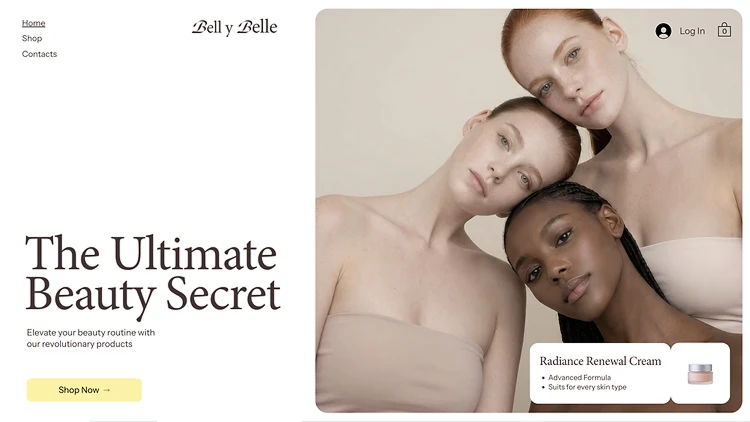
The integration will connect Wix Stores directly with Selfnamed’s ready-to-sell beauty formulas, making it much easier for founders, creators, salons, and beauty entrepreneurs to launch their own skincare or cosmetics line without dealing with the usual production chaos behind the scenes.
Instead of spending months trying to figure out manufacturing logistics, you’ll be able to focus more on the branding, marketing, and customer experience side of the business. Which, honestly, is usually the fun part anyway.
Here are a few things that make the integration especially useful:
Faster time to market – products can go live much quicker without spending months on coordinating development and production;
Lower barrier to entry – no massive upfront investment, warehouse, or manufacturing experience is required;
No manufacturing complexity – skip the complex stuff. The formulas are already developed and production-ready, so there’s far less to manage on the operational side;
Seamless connection between products and storefront – your product catalogue connects directly with your Wix store, which makes setup, inventory updates, and day-to-day management much easier to handle as your business grows.


If you’re thinking about launching your own beauty brand from scratch, it’s worth reading our article on how to start your own skincare line first. It breaks down the essentials of building a skincare business without making the process feel overly complicated.
And if you’re still deciding which platform makes the most sense for your store, this comparison of WooCommerce vs Shopify vs Squarespace vs Wix can help you figure out what fits your business best.
Need a bit of design inspiration, too? Take a look at these Wix beauty templates for ideas on how to build a store that actually looks and feels like a beauty brand.
Frequently Asked Questions
-
No. That’s the whole point.
Wix is designed for non-developers. You can build and manage your site with drag-and-drop tools while following guided setups.
If you can use Instagram, you can use Wix.
-
Yes, and you should.
You can:
Book appointments with Wix Bookings;
Sell products with Wix Stores.
This combination is powerful. Services bring immediate income. Products help you scale.
-
Absolutely.
Especially now, with Selfnamed’s Wix integration on the way. Wix is becoming a strong option for skincare founders who are willing to launch quickly without dealing with production complexity. It gives the flexibility to sell products, manage orders, handle payments, and grow their online presence without turning the entire setup process into a full-time project.
Must read